
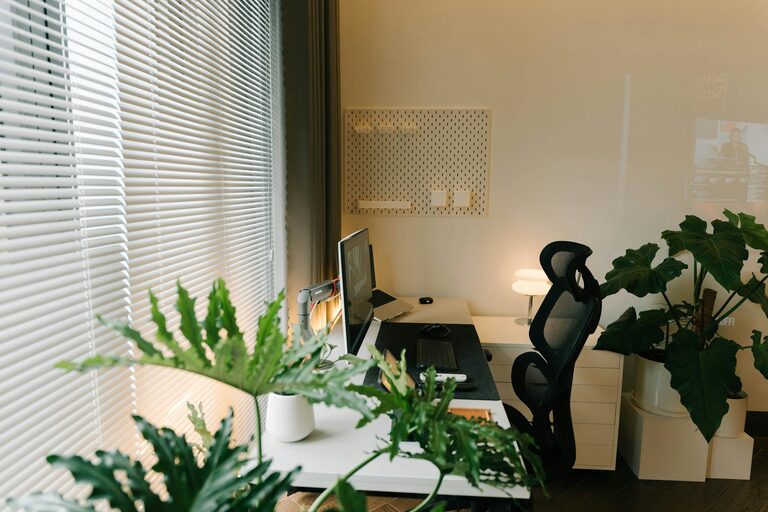
Creating a home office that is both cozy and productive is a goal many of us share, especially as remote work becomes more common. A well-designed workspace can improve focus, reduce stress, and make your workday more enjoyable. Whether you have a dedicated room or a small corner, these tips will help you transform your space into a comfortable yet efficient office.
Choose the Right Location
Selecting the perfect spot for your home office is the first step. Ideally, pick a quiet area with minimal distractions. A room with a door can help separate work from home life, but if space is limited, find a corner that feels distinct from your living area.
Consider natural light. Places near windows are beneficial because sunlight boosts mood and energy. However, make sure the light does not cause glare on your computer screen.
Invest in Comfortable Furnishings
Your chair and desk are the foundation of your workspace comfort.
– Ergonomic Chair: Choose an adjustable chair with good lumbar support to prevent back pain. Comfort is key if you spend long hours seated.
– Desk Size: Pick a desk with enough surface area for your computer, documents, and essential items without clutter.
– Footrest and Accessories: Add a footrest or wrist supports if needed to maintain healthy posture.
Comfortable furniture supports sustained productivity and reduces physical strain.
Organize with Purpose
A cluttered workspace can distract and reduce efficiency. Organize your materials so everything has its place.
– Use shelves, drawers, or filing cabinets to keep papers and supplies tidy.
– Invest in desk organizers for pens, notebooks, and smaller items.
– Keep only what you actively use on your desk to maintain a clean surface.
Regularly decluttering can help keep your workspace inviting and stress-free.
Personalize Your Space
Adding personal touches makes your office feel welcoming and uniquely yours. Simple decor can positively impact your mood.
– Hang art or photos that inspire you.
– Use plants to bring in greenery and improve air quality.
– Choose colors that make you feel calm or energized, depending on your preference.
Personalization helps create a workspace you want to spend time in.
Optimize Lighting
Good lighting reduces eye strain and helps maintain focus.
– Use a combination of natural light and task lighting.
– Position a desk lamp to illuminate your work area without casting shadows.
– Avoid harsh overhead lights by opting for softer bulbs if possible.
Adjust your lighting as needed throughout the day for comfort.
Minimize Distractions
Keep distractions at bay for better concentration.
– Silence or turn off notifications on devices not related to work.
– Use noise-canceling headphones or play background music if it helps you focus.
– Inform household members of your working hours to limit interruptions.
Creating boundaries supports productivity and work-life balance.
Incorporate Technology Wisely
Equip your office with the technology necessary for your work while avoiding overload.
– Ensure a reliable internet connection.
– Invest in quality peripherals like keyboards, mice, or monitors.
– Use cable organizers to keep cords neat and reduce clutter.
A well-equipped workspace streamlines your tasks and reduces frustration.
Maintain a Comfortable Temperature
Physical comfort includes being in a space with a pleasant temperature.
– Use a fan, heater, or open a window to regulate airflow.
– Dress appropriately for your home office environment.
Staying comfortable helps you focus longer.
Establish a Routine
A cozy and productive space also depends on your habits.
– Set consistent work hours.
– Take breaks to stretch, hydrate, and rest your eyes.
– End your day by tidying your workspace to start fresh the next day.
A routine helps you make the most of your home office setup.
—
By thoughtfully combining comfort with functionality, you can create a home office that enhances your work experience while feeling warm and inviting. Start small, adjust as you go, and enjoy a space that works perfectly for you.